Uncategorised
How to Get a Printed Aadhaar Card Delivered at Home
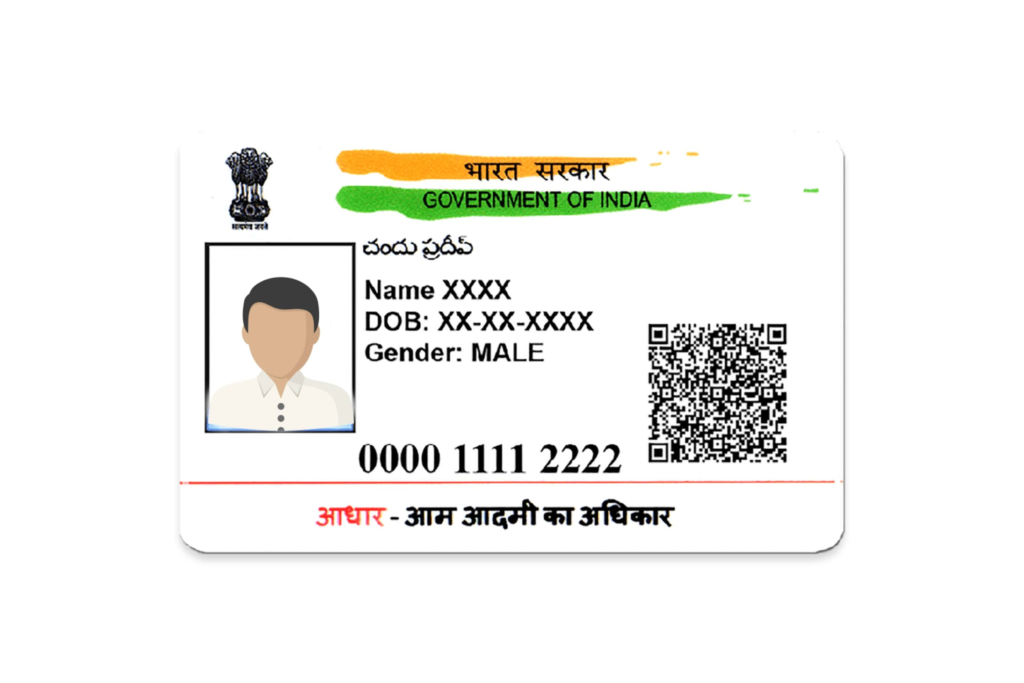
A soft, folded, ink-faded paper Aadhaar is something almost every Indian adult has dealt with at some point — usually right when a bank, hotel, or airport counter asks to see it. The good news is that getting a proper printed Aadhaar card delivered to your home is a short process, whether you go through the government’s own service or a private PVC printing route. This guide walks through both, so you can pick the one that actually fits your situation.
Why a Printed Aadhaar Card Matters
Your Aadhaar is the most frequently used identity document in the country, checked at bank branches, telecom stores, hotel check-ins, airport security, and dozens of KYC counters. A printed, durable version — as opposed to a worn paper printout — holds up far better under that kind of repeated handling. It’s rigid rather than foldable, resistant to water and general wear, and sized to fit directly into a wallet card slot instead of being folded to fit.
Two routes exist for getting one delivered to your address: UIDAI’s own official PVC card service, and private PVC printing services that work from a copy of your Aadhaar you already have. Both end with a durable card in your hands — but they work differently, and knowing the difference before you order will save you time.
Route 1: Ordering the Official UIDAI PVC Aadhaar Card
This is the government-issued version, ordered directly through UIDAI, and it’s the right starting point if you can complete OTP verification without any hassle.
What you’ll need before you start
- Your 12-digit Aadhaar number (or Enrolment ID, if you don’t have the number handy)
- A mobile number that is currently linked to your Aadhaar, since verification happens via OTP
- The correct, current address already updated in UIDAI’s records — the card is shipped only to whatever address UIDAI has on file, not wherever you’re ordering from
- A method of payment: debit/credit card, UPI, or net banking
The ordering steps
- Go to the official UIDAI portal and open the “My Aadhaar” section.
- Select the option to order a PVC Aadhaar card.
- Enter your Aadhaar number along with the captcha shown.
- Verify the request using the OTP sent to your registered mobile number.
- Review the details that will be printed — name, address, date of birth, and photo — to make sure everything is current.
- Pay the ₹50 fee through your preferred payment method.
- Note down the Service Request Number (SRN) you receive — this is what you’ll use to track your card afterward.
What happens next
UIDAI typically processes and hands the card over to India Post within about 5 working days. From there, Speed Post delivery generally takes anywhere from 5 to 15 working days depending on your location, putting the realistic total timeline at roughly 10 to 20 working days from the date you place your order.
Tracking your order
You can follow your card’s progress in a few ways:
- Using your SRN on the UIDAI portal directly
- Using the India Post consignment number once it’s dispatched
- Through SMS updates sent to your registered mobile number along the way
Troubleshooting the Official Route in Depth
Mobile number not linked to Aadhaar. This is the single most common blocker. Without OTP access, the online order simply can’t be started. The fix is to visit an Aadhaar Seva Kendra with valid ID proof and request a mobile number update — this is a same-day biometric process at the centre, though the update itself takes a few days to reflect in UIDAI’s system before you can use it for OTP-based services. Book a slot in advance through UIDAI’s appointment system where available, since walk-in queues at busy centres can run long.
Address mismatch or a recent move. UIDAI ships only to whatever address is currently on file — not the address you’re sitting in when you place the order. If you’ve moved, update your address first through the myAadhaar portal (this part can be done online with OTP, no centre visit needed, provided you have an accepted proof-of-address document to upload), then wait roughly a week for the change to reflect before placing your PVC card order. Ordering before the update reflects is the single most common reason these cards get returned to sender.
Card stuck in “processing” longer than expected. UIDAI’s 5-working-day processing window is separate from the courier transit time, and the two are sometimes conflated. If your SRN status hasn’t moved past processing after a week, that’s worth flagging through UIDAI’s helpline directly rather than assuming it’s simply in transit.
Card shows as delivered by India Post but never arrived. Speed Post delivery attempts are made to the address on file; if no one was available, a re-attempt or a notice for pickup at the local post office is standard practice. Check the India Post tracking page for delivery remarks (not just “delivered”) before assuming the card is lost — the remarks field usually explains what actually happened.
Card returned to UIDAI (RTO — Returned to Origin). This usually traces back to an address error, an unavailable recipient across multiple delivery attempts, or an incomplete address. Once returned, you’ll need to correct the underlying issue and place a fresh order — there’s no automatic re-dispatch of a returned card.
Ordering for a minor, or someone who can’t complete OTP verification themselves. The order can be placed by a parent or guardian using the child’s Aadhaar number, with OTP going to whichever mobile number is linked to that Aadhaar record (commonly a parent’s number for young children). The same applies to elderly family members whose number is linked but who may need help navigating the portal itself.
For anything beyond these — a payment deducted without an SRN generated, or a card that’s been “in transit” for well beyond 20 working days — UIDAI’s helpline (1947) or a written grievance through the UIDAI portal is the right escalation path, since it creates a trackable record of your specific complaint.
One useful tip if you have a family to order for: since each Aadhaar number needs its own separate order, placing all your family members’ orders in the same sitting (even though each is billed and tracked individually) keeps things simple to manage together.
Route 2: A Private PVC Print, When the Official Route Isn’t an Option
The official UIDAI process assumes two things: that your mobile number is correctly linked to your Aadhaar, and that you’re comfortable waiting the 10–20 working day window. For a meaningful number of people, one or both of those assumptions don’t hold — and that’s specifically where a private PVC Aadhaar card printing service becomes useful.
This route works differently: instead of a live OTP-verified request to UIDAI, you upload a copy of the Aadhaar document you already have — your eAadhaar PDF, an mAadhaar copy, or a clear scan of your paper Aadhaar — and it’s reproduced exactly onto a durable PVC card. No OTP, no dependency on your registered mobile number being active or reachable.
This tends to make sense specifically when:
- Your Aadhaar-registered mobile number is lost, deactivated, or was never updated
- You’re an NRI without simple access to an Indian SIM for OTP verification
- You’re ordering on behalf of an elderly relative whose number was never linked in the first place
- You already have a valid Aadhaar PDF and would rather skip a fresh government order altogether
- You want a faster turnaround than the standard 10–20 working day UIDAI window typically allows
It’s worth being clear about what this is and isn’t: a private PVC print is not a UIDAI-issued card, doesn’t carry the same government security features (hologram, ghost image, microtext), and is a reproduction of your existing document rather than a fresh government credential. For most everyday situations — carrying a durable card, presenting it for identity checks, or general convenience — that distinction doesn’t matter much in practice. It does matter if you specifically need the officially reissued government card with its full security feature set, in which case Route 1 above is the one to use.
Choosing Between the Two Routes
| Situation | Better route |
|---|---|
| Mobile number is linked and reachable, no rush | Official UIDAI PVC card |
| Mobile number lost, changed, or never linked | Private PVC print |
| Living abroad without easy Indian OTP access | Private PVC print |
| Ordering for an elderly relative with no linked number | Private PVC print |
| Need the full government security features (hologram, etc.) | Official UIDAI PVC card |
| Already have a clean Aadhaar PDF and want it fast | Private PVC print |
| Willing to wait 10–20 working days | Official UIDAI PVC card |
A Few Things to Avoid, Regardless of Which Route You Choose
- Never share your Aadhaar number, OTP, or personal documents on websites you can’t verify are legitimate — whether that’s a look-alike of the UIDAI portal or an unclear third-party printing service.
- Don’t place an order before fixing an address mismatch — for the official route, this simply guarantees a failed delivery and a repeat order.
- If using a private printing service, confirm upfront that your uploaded document will be deleted from their systems once your card ships — that’s a reasonable, standard question to ask before uploading anything.
Frequently Asked Questions
How long does it take to get a printed Aadhaar card delivered through the official UIDAI process? Typically 10 to 20 working days in total — about 5 working days for UIDAI to process and hand off to India Post, followed by 5 to 15 working days for Speed Post delivery depending on your location.
Can I get a printed Aadhaar card without OTP verification? Not through UIDAI’s official process, since OTP verification via your registered mobile number is a required step there. A private PVC printing service, which works from a copy of your Aadhaar you already have rather than a live UIDAI request, does not require OTP.
What if my mobile number isn’t linked to my Aadhaar? You won’t be able to complete the official UIDAI order online. You’ll need to visit an Aadhaar Seva Kendra to update your mobile number first, or use a private PVC printing service in the meantime, which doesn’t depend on OTP access.
What happens if my registered address has changed? UIDAI ships only to the address currently on file. Update your address at a Seva Kendra, wait roughly a week for it to be reflected, and place your order only afterward to avoid a failed delivery.
Is the ₹50 UIDAI fee refundable if my card doesn’t arrive? No — the fee covers processing and the delivery attempt itself. If the card is returned due to an address issue, you’ll need to correct the address and reorder.
Can I order printed Aadhaar cards for my whole family together? Each Aadhaar number requires its own separate order, but there’s nothing stopping you from placing all your family members’ orders in the same sitting for convenience.
Is a privately printed PVC Aadhaar card the same as the official UIDAI one? No. The official UIDAI card includes government security features like a hologram, ghost image, and microtext, and is verified through OTP. A private PVC print reproduces your existing Aadhaar document onto durable PVC without those security features or the OTP step — a practical option when the official route isn’t accessible, but not a substitute when you specifically need the government-issued security features.
